
Indibet Deposit Not Working – Solutions & Troubleshooting
Depositing funds is the first step to start betting on Indibet. However, some users may face issues where their deposit is not working or fails to reflect in their account. This page explains why deposits may fail, how to troubleshoot them, and how to resolve the issue using your Indibet ID.
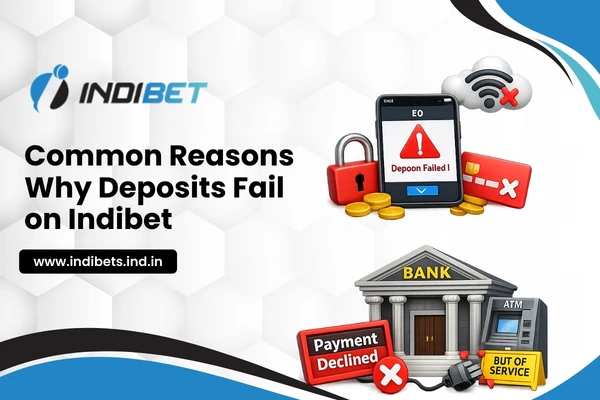
1. Common Reasons Why Deposits Fail on Indibet
There are several reasons your deposit might not be processed successfully:
- Technical Glitches: Temporary server issues or website/app maintenance
- Incorrect Payment Details: Wrong account number, UPI ID, or payment method selection
- Bank or Wallet Limitations: Some banks or wallets may block online gaming transactions
- Insufficient Balance: Your bank account or wallet may not have enough funds
- Network Issues: Poor internet connection or failed transaction due to connectivity problems
- KYC or Account Restrictions: Unverified Indibet ID may restrict deposits
2. How to Troubleshoot Deposit Issues
Before contacting support, try these steps:
Step 1: Check Payment Method
- Ensure you are using a supported payment method (UPI, NetBanking, PayTM, etc.)
- Confirm the details you entered are correct
Step 2: Check Your Account Balance
- Make sure your bank account, wallet, or payment app has sufficient funds
Step 3: Verify Internet Connection
- Use a stable and secure internet connection while making deposits
Step 4: Clear Cache or Update App
- If using the mobile app, clear cache or update to the latest version
- For website users, refresh the browser or try a different browser
3. How to Resolve the Issue Using Customer Support
If the deposit is still not reflected, follow these steps:
Step 1: Log in with Your Indibet ID
- Access your account to check the status of your deposit
Step 2: Contact Customer Support
- Use Live Chat or email support for faster assistance
- Provide the following details:
- Indibet ID
- Payment method used
- Transaction ID or reference number
- Deposit amount and date
- Indibet ID
Step 3: Wait for Verification
- The Indibet support team will verify the transaction with the bank or payment gateway
- Once verified, your funds will be credited to your Indibet wallet
4. Tips to Avoid Deposit Issues
- Always use your verified Indibet ID when depositing
- Double-check all payment details before confirming
- Use recommended payment methods to ensure smooth transactions
- Complete KYC verification to avoid account restrictions
- Avoid making multiple deposit attempts simultaneously
6. Security & Privacy
- Instant Payment Methods: Most deposits via UPI, wallets, or NetBanking are credited instantly
- Bank Delays: Some banks may take 15–30 minutes to process the transaction
- Manual Verification: In rare cases, support may take 24–48 hours to verify deposits
6. Security & Privacy
- Indibet never asks for passwords, OTPs, or PINs over chat or email
- All deposits are linked to your Indibet ID, ensuring secure transactions
- Avoid sharing your Indibet login details with anyone
7. Final Note
If your deposit is not working on Indibet, most issues can be resolved by checking payment details, ensuring a verified Indibet ID, and contacting customer support with proper transaction information. Following these steps ensures smooth deposits so you can start betting on sports and live casino games without delays.